Live with our design partners, and used every day at Aeeiee.
The operating system for human-AI teams
Boards, chat, a wiki, time tracking and workspace admin in one place — for teams in the office, at home, and everywhere in between.
The problem
One platform instead of eight
Most teams pay around $110 per person per month across Slack, Jira, Confluence, a timesheet tool and whatever else crept in. The bill is the small part. The truth about the work is scattered: the decision is in a thread, the ticket is in a tracker, the spec is in a third tool, and the hours are in a fourth.
3mote puts context, collaboration and accountability in one workspace. One place to look, one login, one subscription instead of eight.
Replaces
Slack · Jira · Confluence · Notion · Harvest · QuickBooks Time
Boards
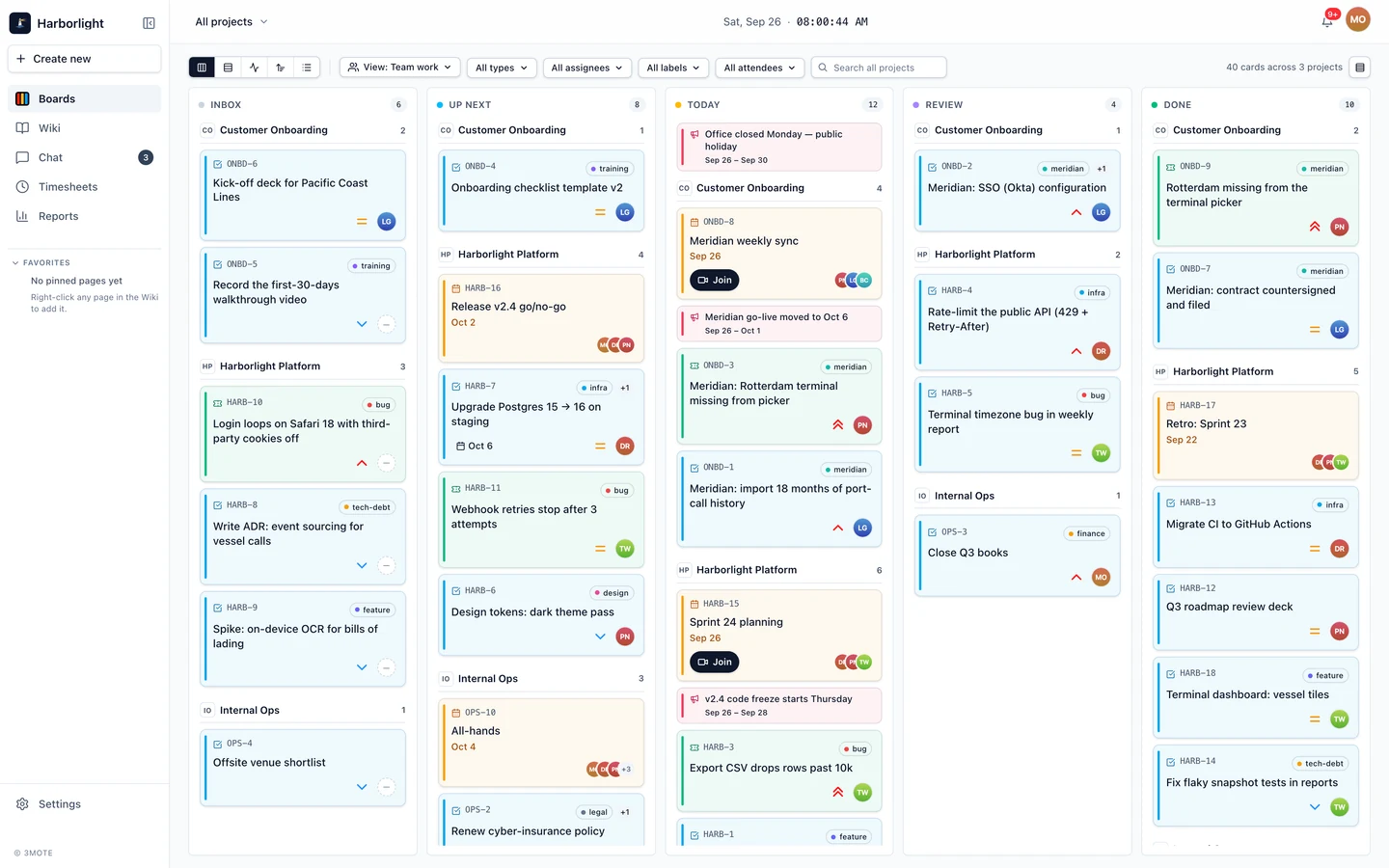
Every project on a board, and one board across every project
Each project gets a Kanban board with five columns — Inbox, Up Next, Today, Review and Done. The master board collapses every project you belong to into those same columns, grouped by project, so you can read what is in Today without opening six boards.
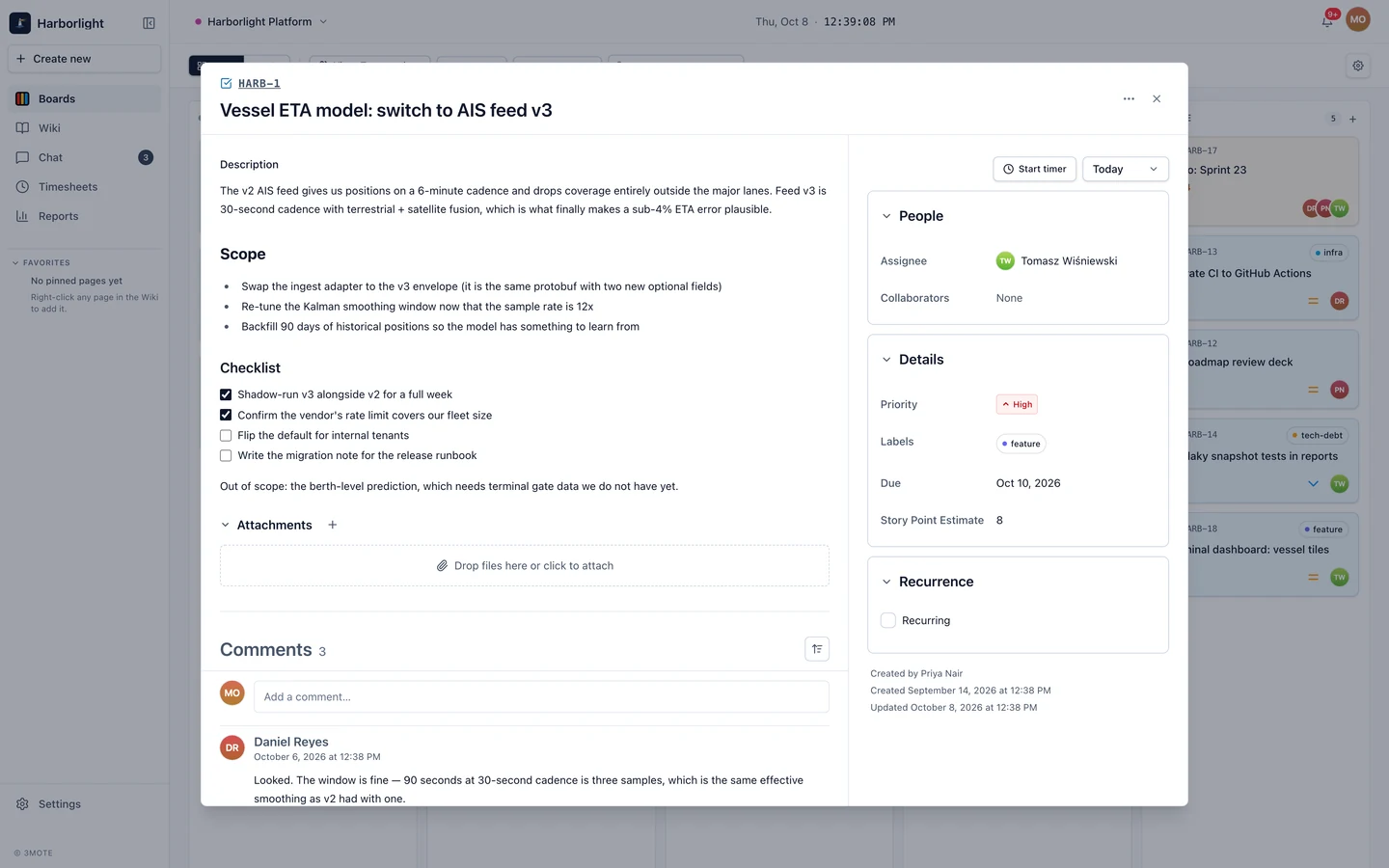
- Four card kinds: tasks, tickets, events and announcements
- Labels, comments and emoji reactions on every card
- Recurring cards for work that comes back
- Finished work fades out of Done after a window you choose
Chat
The conversation sits next to the work
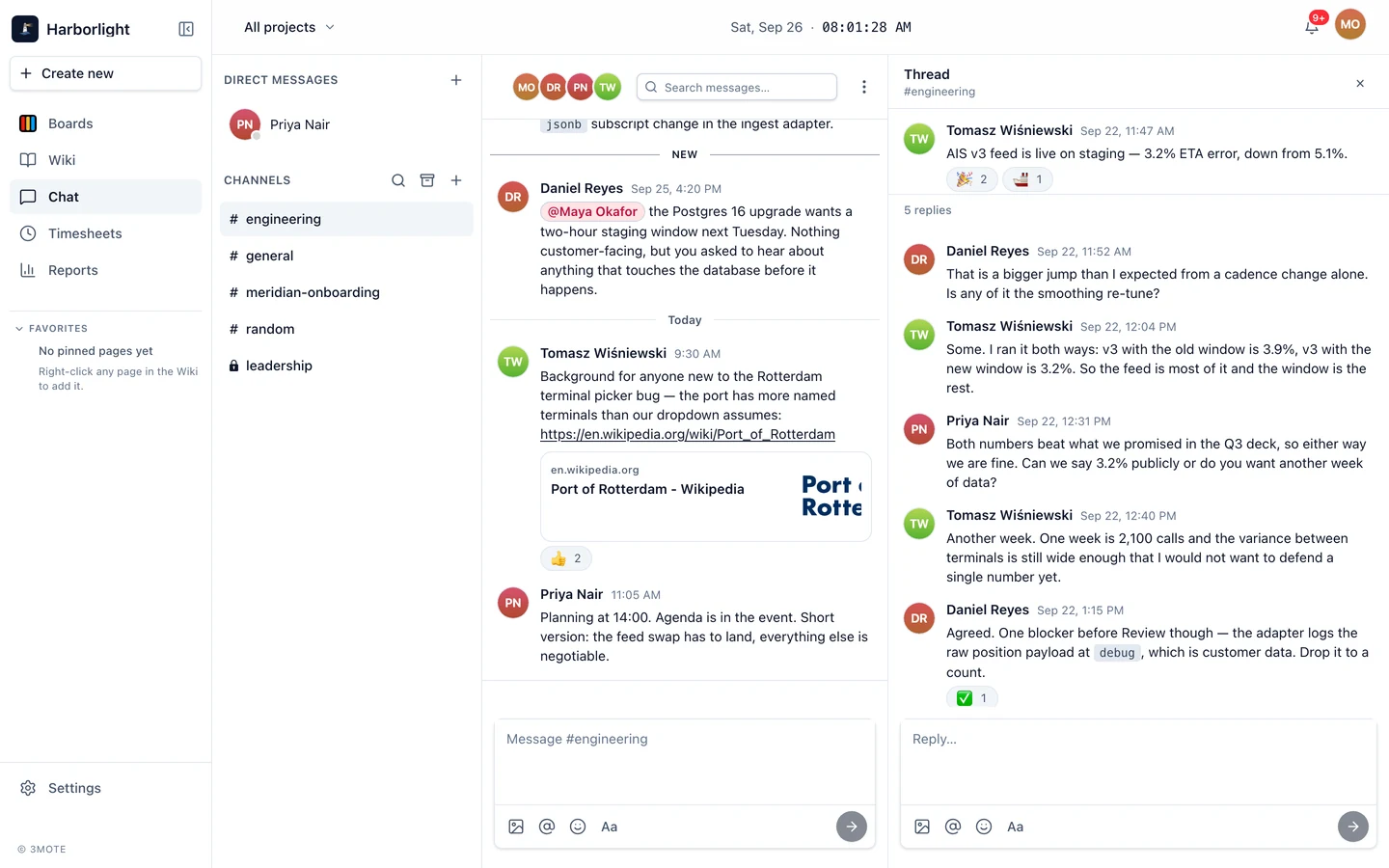
Direct messages and channels, with threads so a side conversation does not bury the room. A mention pulls someone in, and the notification takes them back to the exact message.
- Threads, reactions and mentions
- Link previews and file attachments
- Search inside any conversation
- Native iOS and Android apps for chat
Wiki
Write it down once
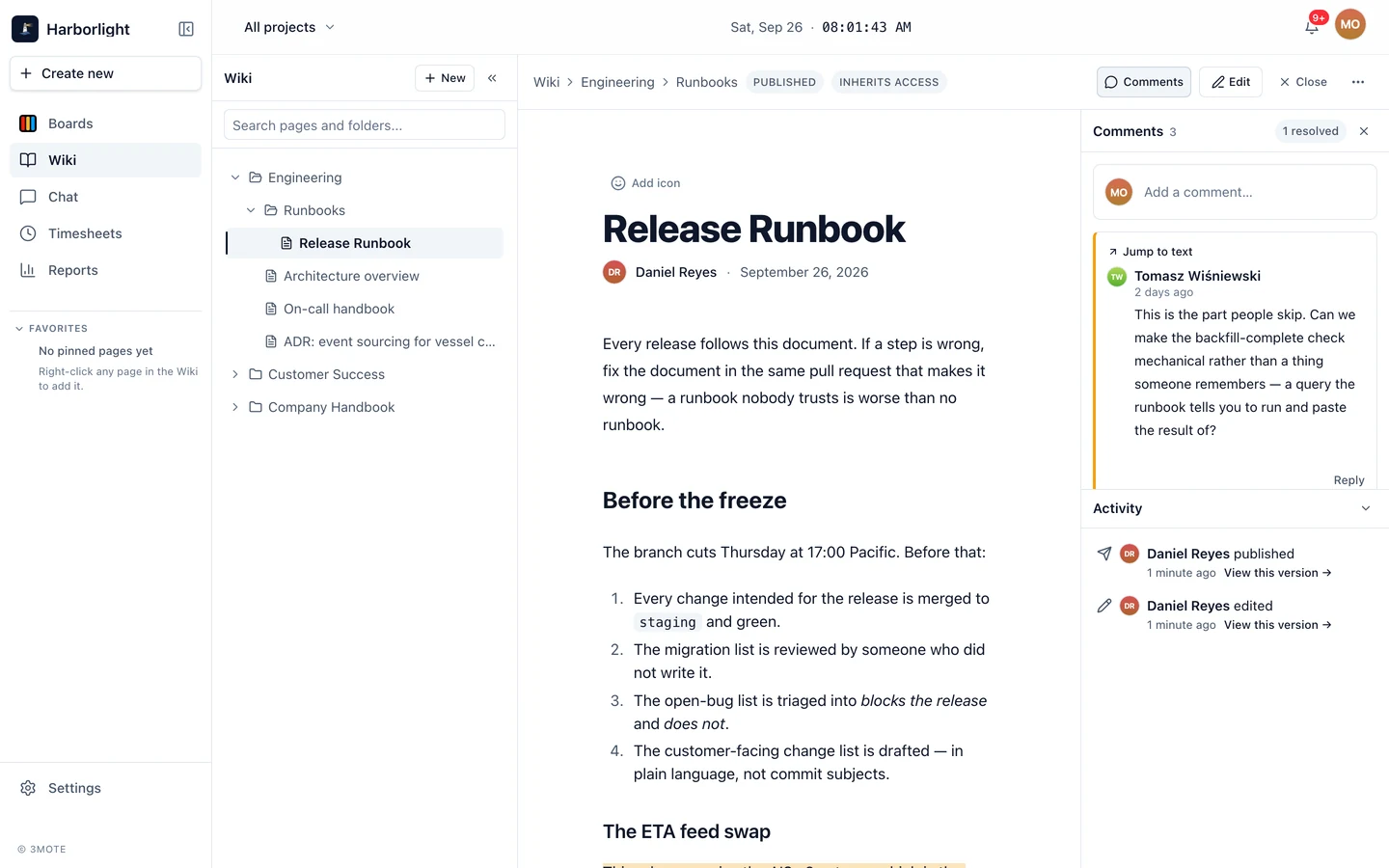
A tree of pages per workspace. Drafts autosave while you write, publishing keeps a version history, and access is set per document or inherited from the folder above it.
- Drafts with autosave, publish with version history
- Access per document, inherited per folder
- Comments on a page, or anchored to a passage
- A slash menu for structure, Command-K to search
Time tracking
Hours, attached to the work they came from
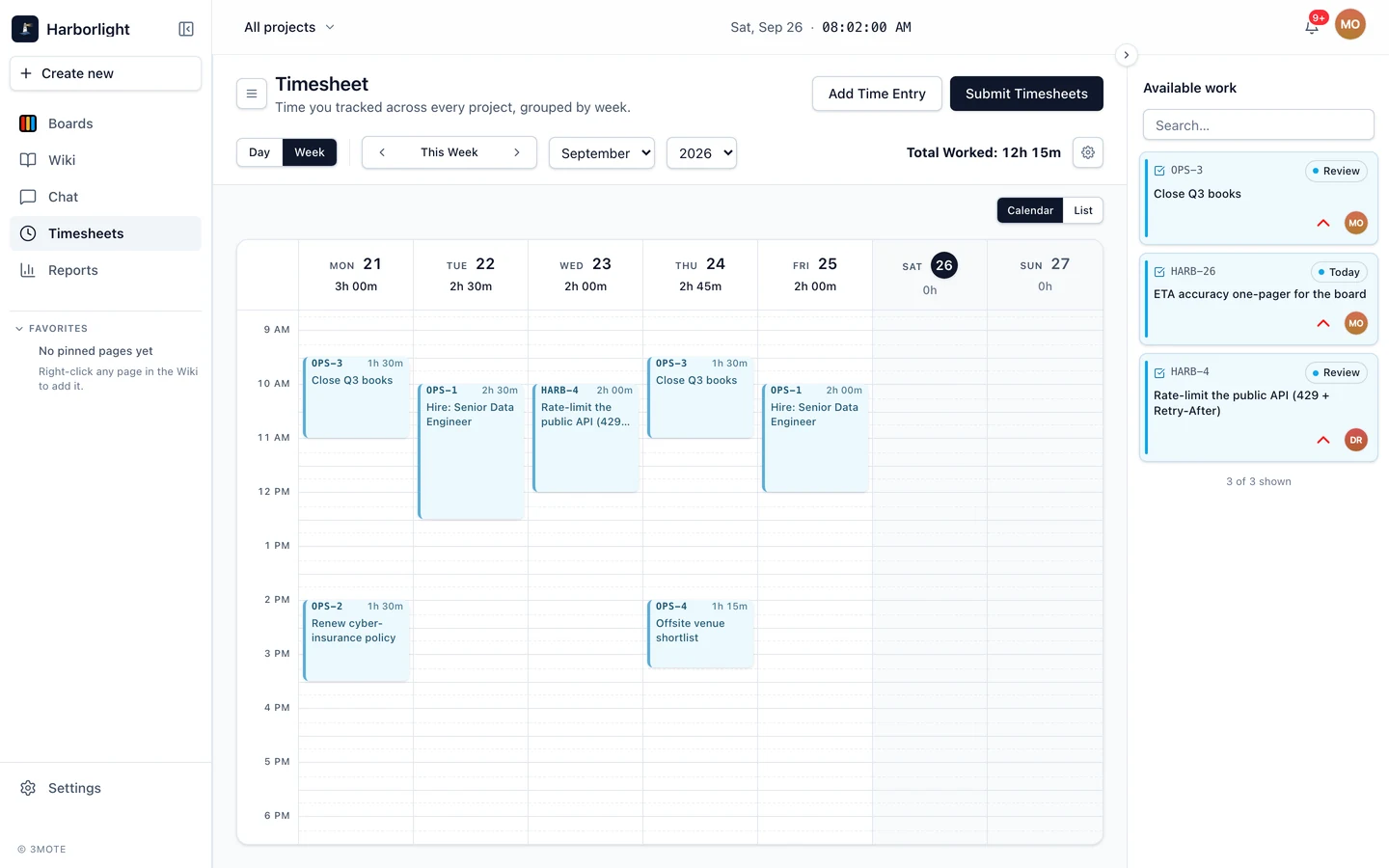
Start a timer on the card you are working on. Day and week timesheets add up from those entries, and a manager approves them without leaving the workspace.
- Timers on cards, not on a separate stopwatch
- Day and week timesheet views
- Manager approvals in the same app
Workspace admin
Run the workspace from inside it
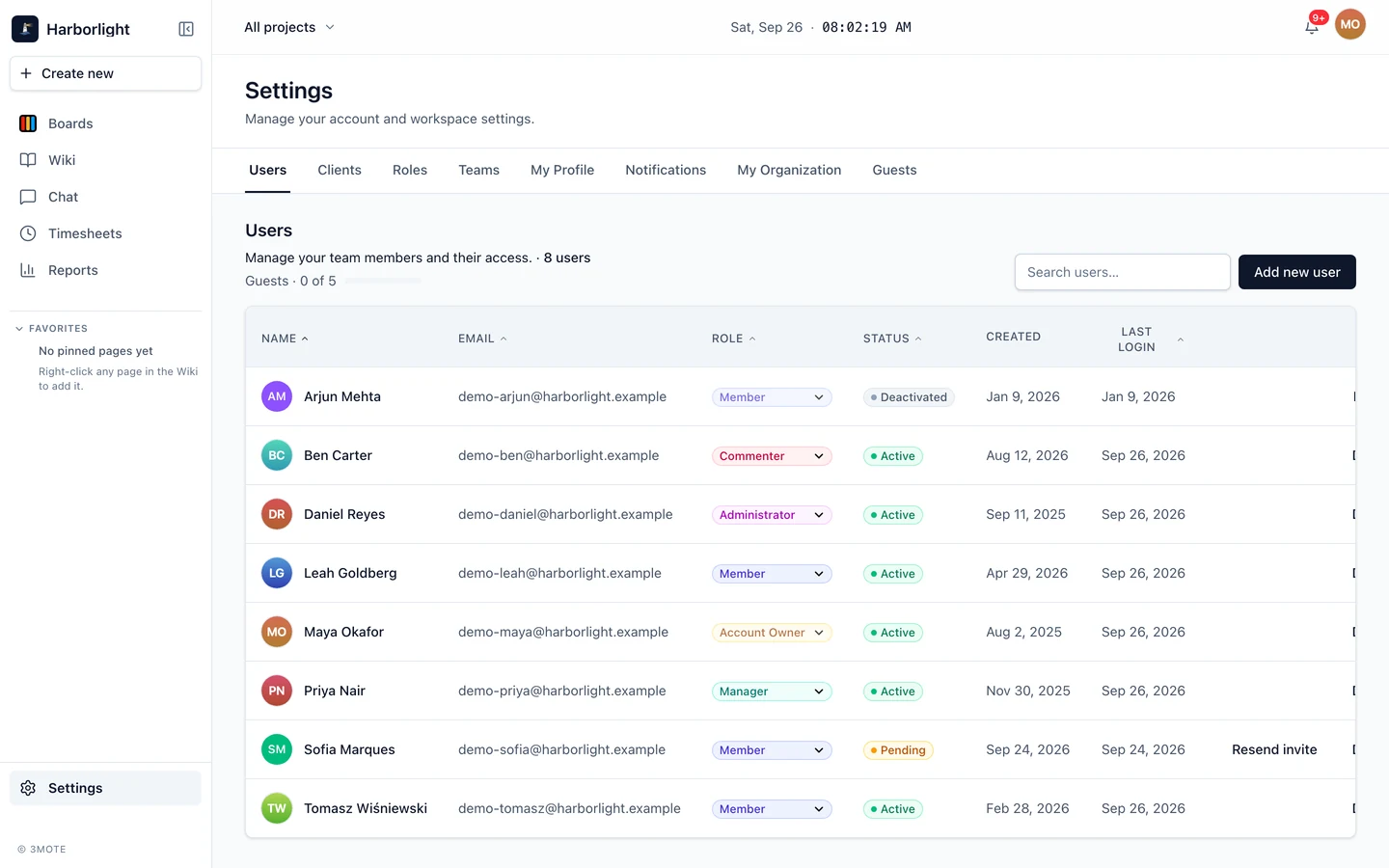
Invite people by email, put them in teams, and give them a role: owner, admin, manager, member, commenter or reader. Each role's permissions are editable, not baked in.
- Users, roles and editable permissions
- Teams and client records
- Email invitations with a single-use link
- Sign in with Google, Microsoft or Apple
Details that matter day to day
Three themes
Default, Obsidian and Midnight Blue — chosen per person, not per workspace.
English and Spanish
Pick a language in your profile and the app follows.
iOS and Android
Native apps for chat, with push notifications.
Where this is going
Built for humans and AI agents
3mote measures progress on deliverables rather than keystrokes, because that is the only management model that works for a team that is part human and part agent. You add an AI agent the way you add a person, assign it cards, talk to it in chat, and review its work in the same queue as everyone else's. It can turn your documents into wiki pages and answer questions about them wherever you ask.
AI agents are available on every plan. Each agent takes a seat, and you connect the AI provider of your choice.
Simple pricing
A free plan to try it, and two paid plans priced per user.
One workspace, from the first day
We set up every new workspace with you. Tell us about your team and we will get you started.