Your profile
Your profile is what your teammates see next to your cards, comments and chat messages, plus the personal preferences that shape how 3mote looks and behaves for you.
Open it from the account menu under your avatar in the top bar — My profile — or go to Settings and pick the My Profile tab.
Photo
The top of the panel shows your avatar, your name, your role in this workspace, and your email. Click Upload new photo to replace the image. PNG, JPG, GIF or WEBP, up to 5 MB. 3mote confirms with “Avatar updated” when it saves; until you upload one, you get a coloured initial instead.
The role chip beside your name is read-only — it’s the role an administrator gave you. See Roles and permissions.
Profile details
- Name — required. This is the name that appears everywhere in the app.
- Email — read-only. Your email is managed by your sign-in provider and can’t be changed here.
- Title — your job title, for example Senior Engineer.
- Phone — optional contact number.
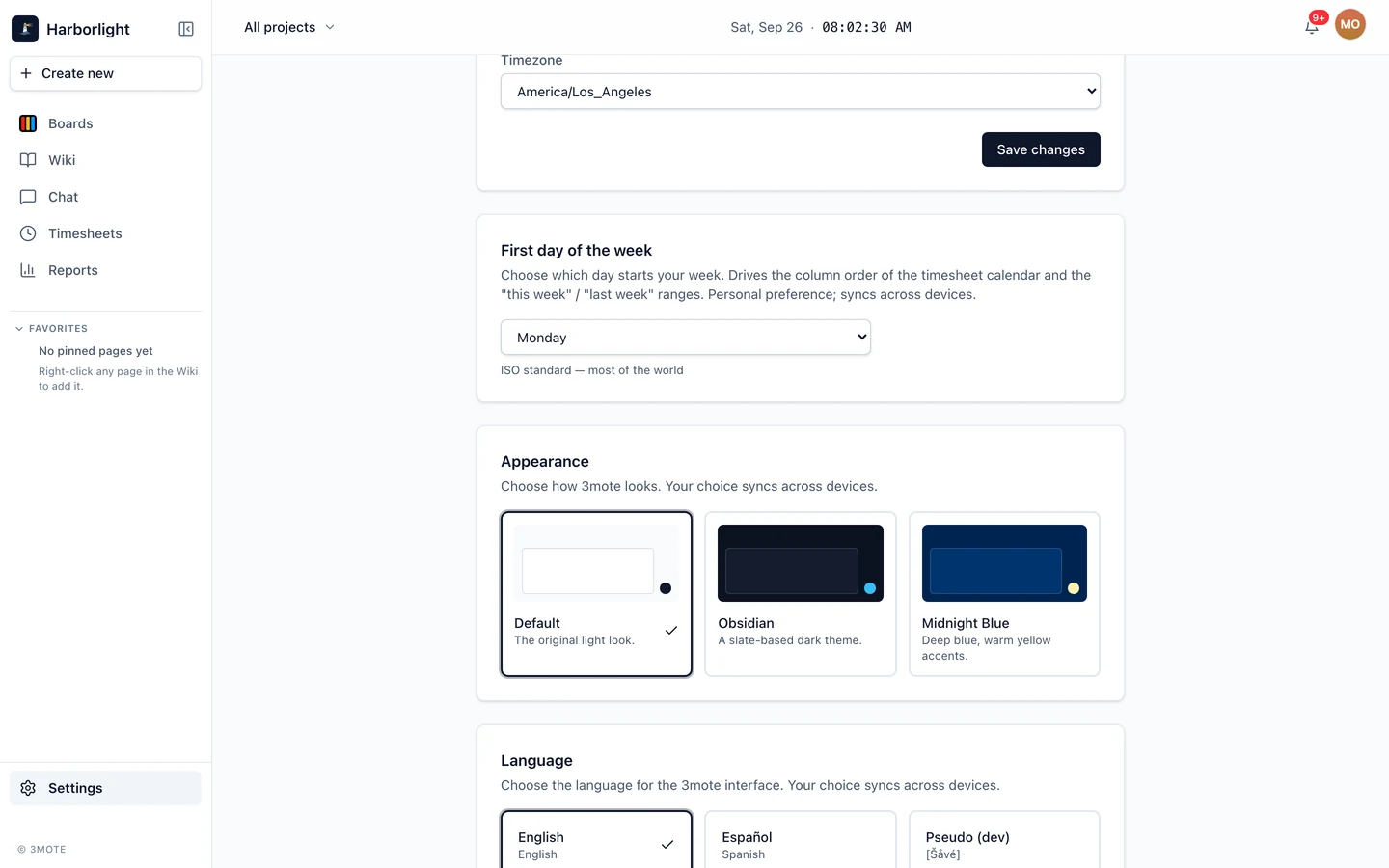
- Timezone — pick from the list, or leave it on Use my browser’s timezone to follow whatever machine you’re on.
Click Save changes when you’re done. Nothing in this card saves until you do.
First day of the week
Choose Monday, Sunday or Saturday. This drives the column order of the timesheet calendar and what “this week” and “last week” mean for you. It saves the moment you pick it, and follows you across devices.
It’s a personal preference — changing it doesn’t affect anyone else’s timesheet. See Timesheet.
Appearance
Three themes, each shown with a small preview so you can compare:
- Default — the original light look.
- Obsidian — a slate-based dark theme.
- Midnight Blue — deep blue, warm yellow accents.
Pick one and it applies immediately. Your choice saves to your account, so it syncs across devices rather than living in one browser.
Language
Choose the language for the 3mote interface:
- English
- Español (Spanish)
Like the theme, this saves to your account and syncs across devices. It changes the app’s own labels, dates and numbers — it doesn’t translate what your teammates wrote in cards, pages or messages.
Related pages
- Notifications — the separate Notifications tab, for browser notifications.
- Signing in — changing your password.
- Workspace settings — the tabs that manage the whole workspace rather than just you.