Plans and storage
Your plan sets a handful of ceilings: file storage, how far back chat history goes, how much of the wiki you can keep, and whether a few features are switched on at all.
What each plan includes
| Starter | Standard | Premium | |
|---|---|---|---|
| File storage | 5 GB for the whole workspace | 20 GB per person, pooled | 100 GB per person, pooled |
| Largest single file | 1 GB | 1 GB | 1 GB |
| Wiki pages | 100 | Unlimited | Unlimited |
| Version history per page | Last 5 versions | Last 20 versions | Last 30 versions |
| Chat history | 30 days | 3 years | 10 years |
| Custom status columns | — | Yes | Yes |
| Guest seats | — | 2 | 5 |
| Your logo in the sidebar | — | Yes | Yes |
The shape of the storage allowance differs, not just the number. On Starter, 5 GB is a single pool for the whole workspace however many people are on it. On Standard and Premium it’s per person and pooled, so capacity grows as you add teammates: a Standard workspace of ten shares 200 GB. Starter also caps total wiki page text at roughly 50 MB; paid plans don’t. Version history keeps each page’s newest versions up to your plan’s limit, plus the published version, which is always kept. Older versions drop off as new ones are saved.
Limits apply the moment your plan changes — nothing you already created is touched by an upgrade.
Related: Projects for custom status columns, Teams, clients and guests for guest seats, Drafts and publishing for version history, and My Organization for the logo.
The storage meter
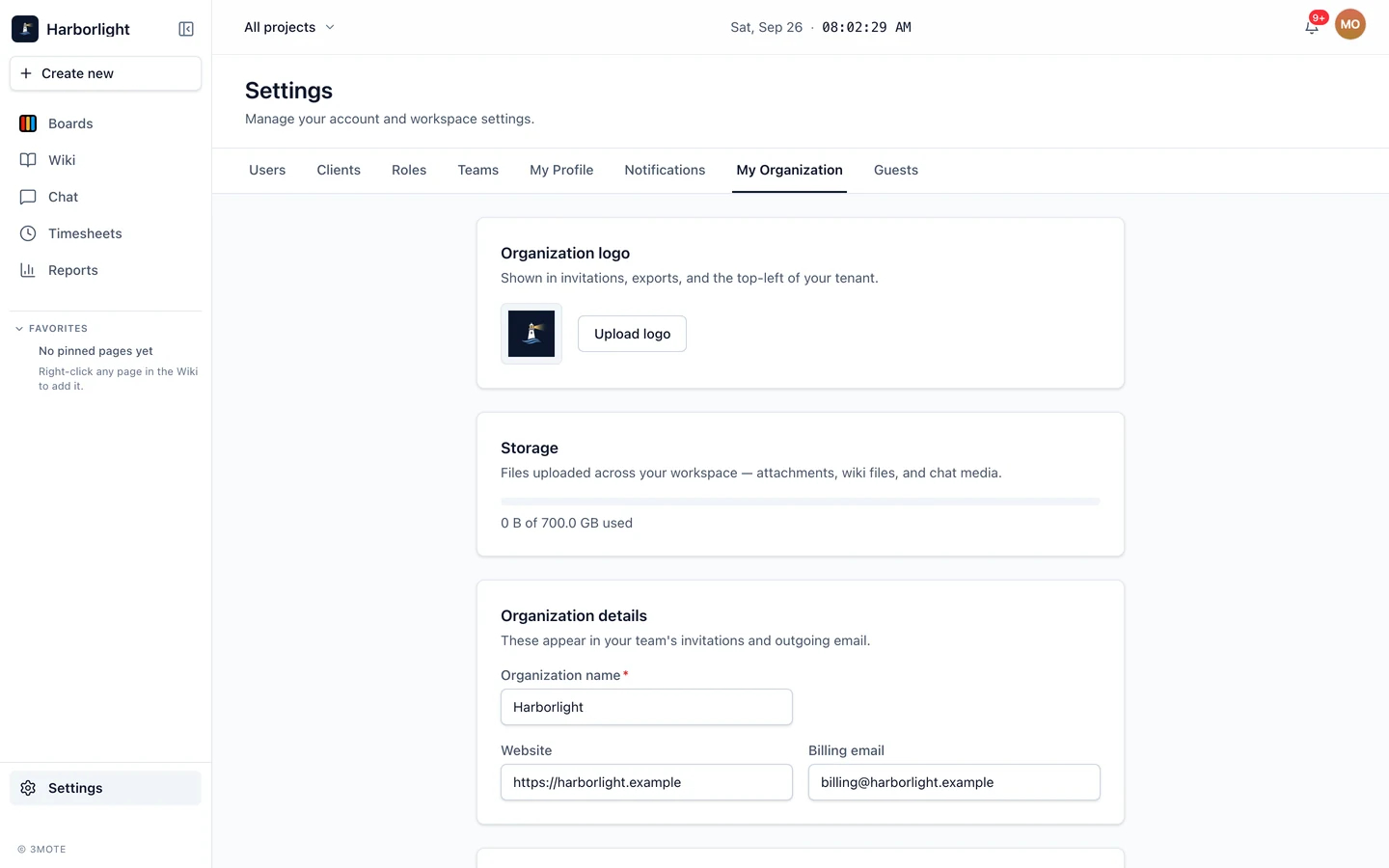
Settings → My Organization → Storage shows a bar and a line reading “X of Y used”. It counts every file your workspace has uploaded: attachments on cards and comments, files and images in the wiki, and media shared in chat. Files still uploading count too, from the moment they start, so the meter always matches what the limit is checked against. The bar turns amber past 80% and red at or over the limit.
Deleting a card frees its files straight away — its attachments and the files on its comments — unless the same file is still shown somewhere else, such as another card or a wiki page.
A file stays counted while any version of a page still uses it. Remove an image from a page and save, and it keeps counting until the last version that contains it drops out of version history. Files you upload while editing and then throw away — by discarding your changes, or removing them before you save — usually stop counting as soon as you leave the editor, and within a day or two at the latest.
Going over the limit
The rule is restrict, never destroy. Going over your storage limit never removes anything — 3mote never deletes your files automatically.
A workspace that still has room can go slightly over in one step, so an upload, a page duplicate or a pasted file isn’t refused just because it doesn’t quite fit. The extra room is a tenth of your storage limit, up to 1 GB at most — 512 MB on Starter. Files still uploading count from the moment they start, so dropping many files at once can’t add up past that: only the file that crosses the limit goes through. Whoever takes the workspace over is told straight away: Account Owners and Administrators see “This workspace is now over its storage limit. New uploads are paused until space is freed or the plan is upgraded.”, and everyone else sees “This workspace is now over its storage limit. New uploads are paused — contact your workspace admin.”
Once the workspace is over:
- New uploads stop. Try to upload and you’re told “Uploading this file would exceed your plan’s storage limit. Free up space or upgrade your plan.” That holds whatever the file’s size, until space is freed. The same applies to duplicating a wiki page or pasting files into one.
- Reading stays open. Everything already uploaded keeps opening, previewing and downloading. Nobody loses access to existing work.
- Nothing is deleted. There is no deadline and no cleanup: uploads simply stay paused for as long as the workspace is over, and resume once it is back under the limit.
- Owners and admins are told. Account Owners and Administrators see a red bar at the top of every page — “Your workspace is over its storage limit. New uploads are paused until you free up space or upgrade.” — with a Manage storage link, and a matching notification in the bell, from the moment the workspace goes over.
To clear a warning, delete files you no longer need — large attachments and old chat media are usually the quickest win — or move to a plan with a bigger allowance. The bar and the banner clear themselves once you’re back under the limit.
Two other limits behave the same way: filling the Starter wiki page count tells you to delete a page or upgrade, and adding a custom status column on Starter tells you it’s a paid-plan feature. Neither touches what you already have.