Passwords
Passwords is where your team keeps logins, API credentials, SSH keys and secure notes. It is included in every 3mote seat on every plan, and you open it from the Passwords row in the sidebar.
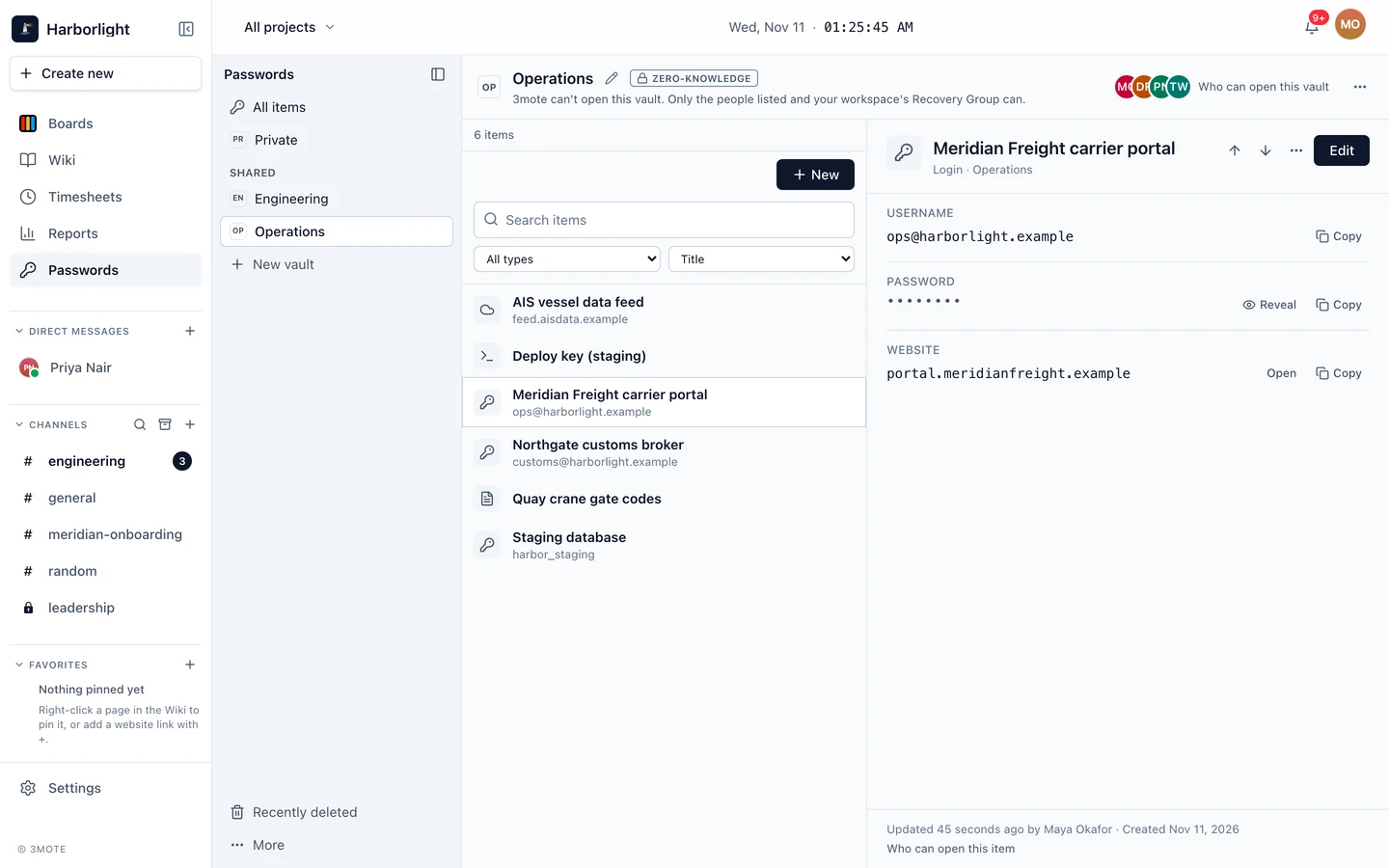
Vaults and items
A vault is a container of items that a set of people can open. Everyone has a Private vault for themselves. A Shared vault has members, each with their own permission. An item is a Login, an API credential, an SSH key or a Secure note.
Zero-knowledge, in plain words
Private vaults and shared vaults are zero-knowledge: 3mote cannot open them. Your items are encrypted on your device before they are sent anywhere, and the keys that open them live on your trusted devices, not on our servers. What we store is encrypted data and encrypted keys.
Who holds each vault’s key is kept in a signed record that your browser checks, and new devices and new managers are confirmed by comparing words. Zero-knowledge describes what 3mote’s servers can see: encrypted data they cannot open. Like any web app, Passwords runs code that 3mote serves to your browser, so we protect that code too. The page How Passwords keeps your data safe explains the design, with diagrams, and the limits.
What 3mote can and cannot see
3mote cannot see: item titles, usernames, passwords, websites, notes, 2FA setup keys or key material.
3mote does store: the names of your vaults, who can open each vault and with what permission, the labels of your devices, and the activity log described in Activity.
The Recovery Group
If a teammate loses every device and their Recovery Kit, someone has to be able to help. Your workspace can name a Recovery Group: a short list of trusted people who can restore a locked-out teammate and take over a departed person’s Private vault. The group is kept as a signed record that your browser checks, and you confirm it by comparing words with a member. Every vault shows the Recovery Group in Who can open this vault, and your Private vault says plainly that the group can also open it. Owners can switch that off for Private vaults. See Recovery.
AI agents
An AI agent that works on a workstation can use a login, an API token or an SSH key without ever seeing it. There are two ways:
- With your permission, for one session. The agent asks, a person grants from their own device, and access ends with the workstation session. The vault stays zero-knowledge.
- Without anyone present. An Automation vault lets agents use its items at any time. It is opened by a key that 3mote holds, so it is not zero-knowledge, and each one says so. Holding that key yourself is coming, on Enterprise.
Guests do not have Passwords.