Vaults and items
Private and shared vaults
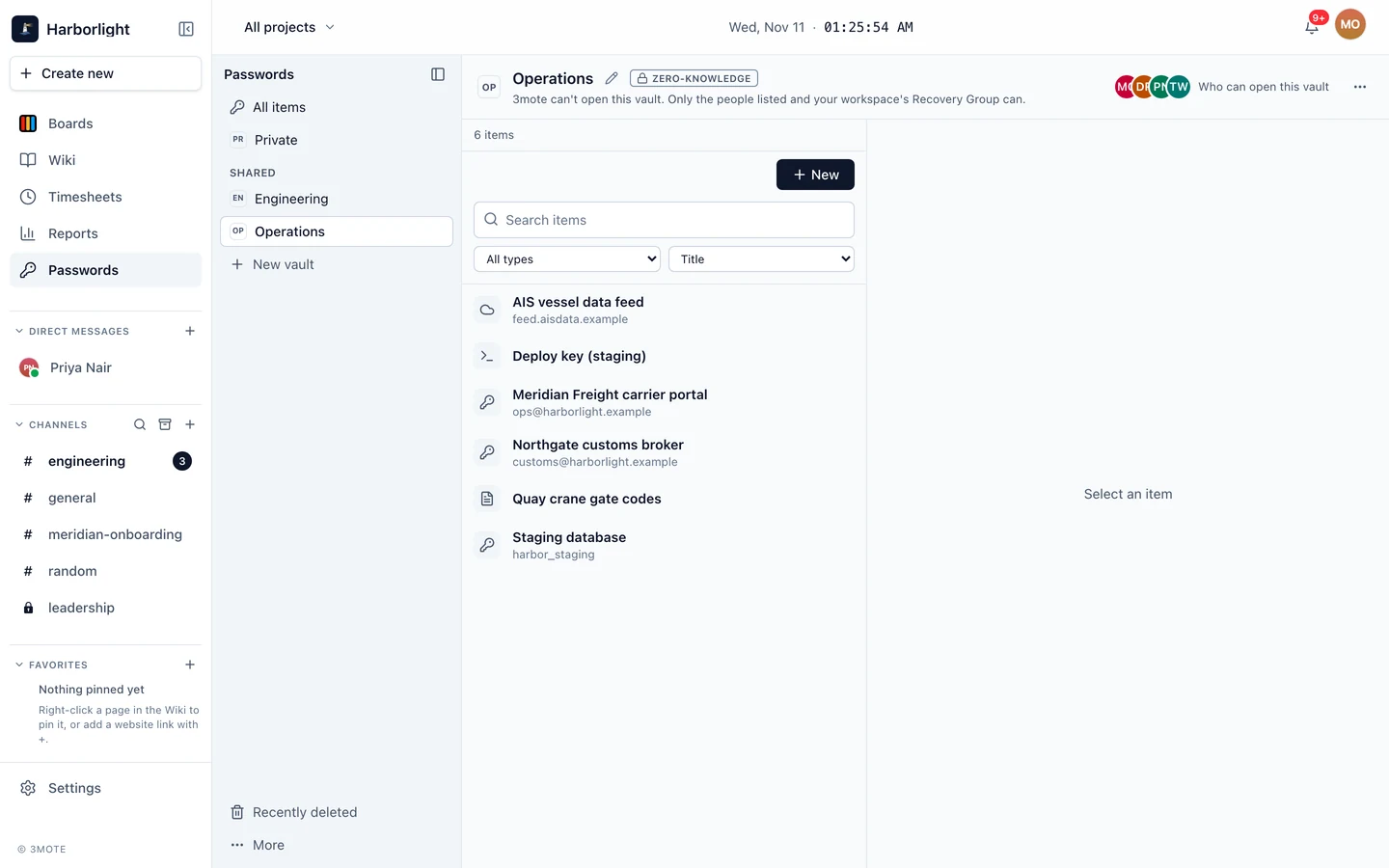
The rail on the left lists All items, your Private vault, the Shared vaults you belong to, Recently deleted, and a ⋯ menu with Import… and Export….
Your Private vault is for you. Your workspace’s Recovery Group can also open it, to restore your access or take it over if you leave, and the vault says so. If the workspace has turned that off, it says nobody else can open it and it cannot be recovered.
A Shared vault shows a Zero-knowledge badge, unless it has been turned into an Automation vault. Select + New vault to create one; the header shows how many your plan includes (Free includes 3, Team and Enterprise are unlimited).
Item types
Select + New (or press Alt+N) and choose one:
- Login — username, password, websites, 2FA code and notes.
- API credential — token or key, header name, allowed hosts and notes.
- SSH key — public key, private key, optional passphrase, allowed hosts and notes.
On API credentials and SSH keys, Allowed hosts limits where an AI agent can use the item. Enter just the host, like api.example.com. See AI agents and Passwords.
- Secure note — notes.
Search filters titles, usernames and websites on your device. Filter by Type and sort by Title or Recently edited.
Reveal and copy
Secret fields are masked. Reveal shows the value and hides it again after 30 seconds. Copy puts it on your clipboard, and 3mote tries to clear it after 30 seconds. Each reveal and copy is recorded in Activity.
2FA codes
A Login with a 2FA setup key shows the current six-digit code with a countdown, and Copy. In edit mode, Set up 2FA lets you Paste key, Upload QR image or Scan with camera. The setup key stays hidden under Show setup key.
Previous passwords
Logins and API credentials keep their earlier values within your plan’s history window (see Activity for how long that is). Open Previous passwords to reveal or copy an old one, with its date, for example if you generated a new password but never updated the website.
The generator
In edit mode, Generate opens the password generator. Characters lets you pick a length from 8 to 64 and turn Letters, Digits and Symbols on or off; with only digits it becomes a PIN of 4 to 12. Words builds a passphrase of 4 to 8 words with a separator you choose and an optional digit. Select Regenerate for another, then Use this password.
Moving, deleting and Recently deleted
Use ⋯ → Move to vault… to move an item to another vault where you can edit; everyone who can open the destination will be able to open it. Delete sends an item to Recently deleted, where anyone who can edit that vault can Restore it, or Delete forever, for up to 30 days.
If two people edit the same item, the second save asks whether to Reload or Overwrite.